
SECURE EXCHANGE
Secure File Exchange
Instead of email attachments, documents travel through a dedicated channel both sides can trust.
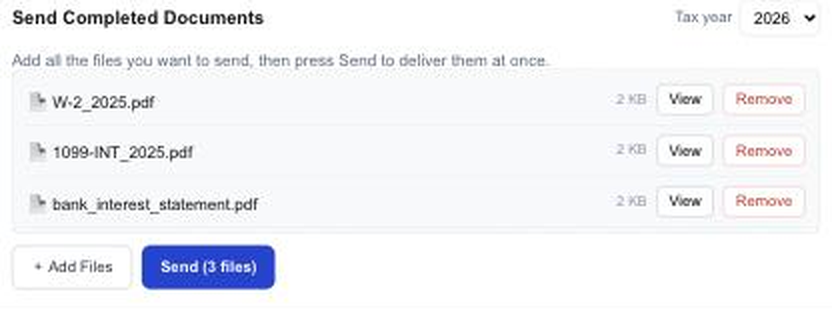
- ✓AES-256 at rest, TLS in transit — for both database and storage
- ✓No permanent public URLs — every view and download uses an expiring signed link
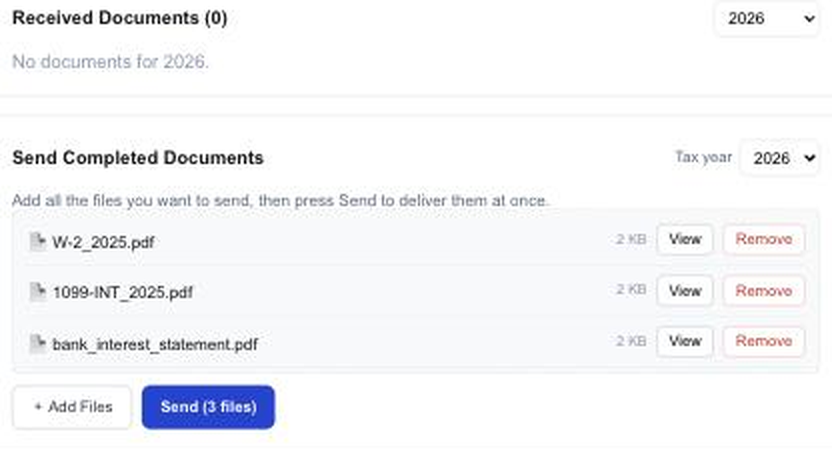
- ✓Batch upload for sending many files at once
- ✓Korean filenames preserved — "은행이자내역.pdf" arrives intact
- ✓Delete removes the file for both sides — misdirected documents can be recalled
- ✓A comment thread on every document keeps questions next to the file
ONE WINDOW
Send and request in one window
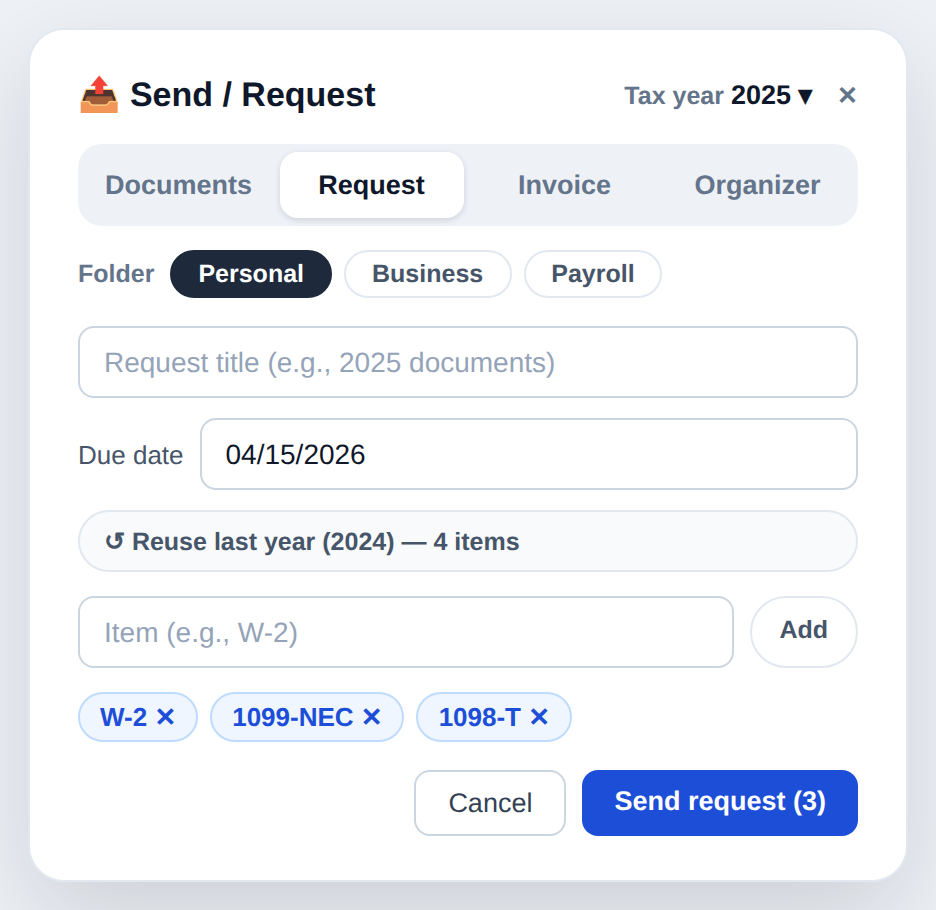
No hunting through different screens for documents, requests, invoices, and organizers. One button opens all four.
- ✓Pick Documents, Request, Invoice, or Organizer in one window
- ✓Choose the tax year once at the top — it applies to all four
- ✓For business clients, set the folder (personal / business / payroll) in the same place
- ✓Documents uploaded in reply land in that folder automatically — nothing to move later
- ✓Reuse last year’s request list so you don’t retype it every season
ONE LIST
One list, clear type badges
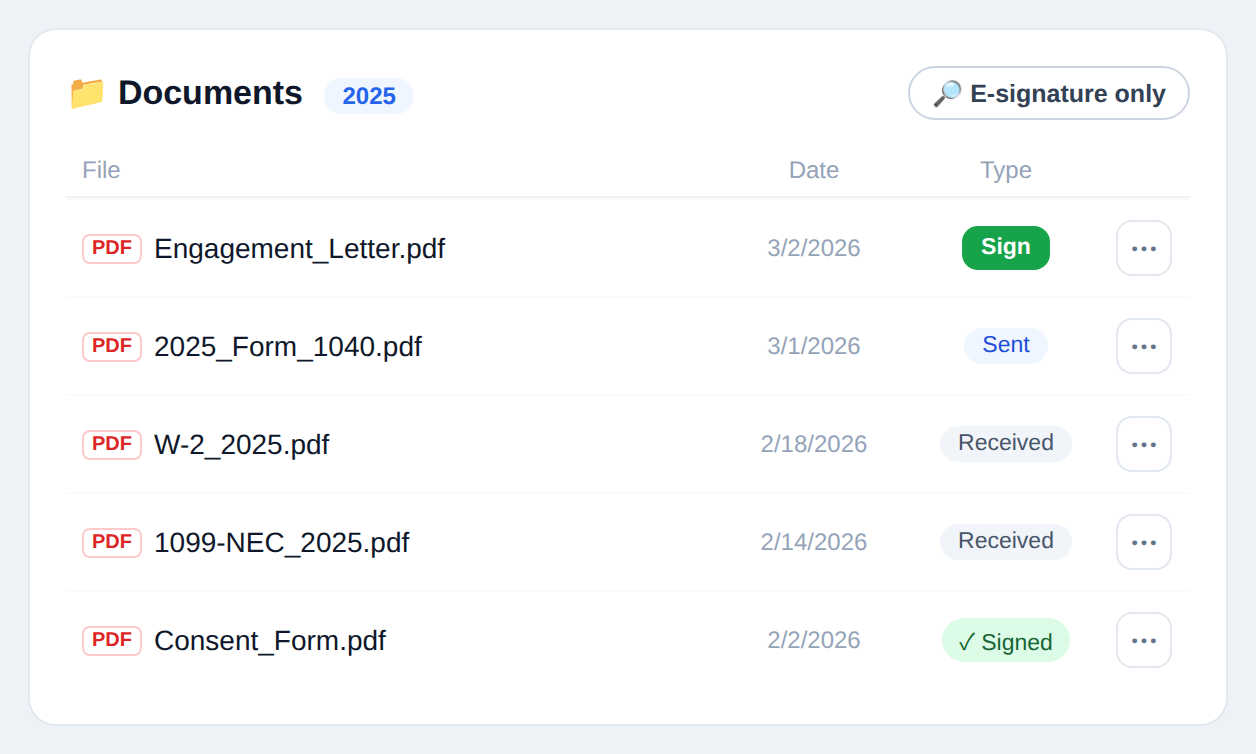
Stop digging through separate “received” and “sent” folders. Everything sits in one list with a badge on each row.
- ✓Received, Sent, and ✓ Signed shown as badges
- ✓Rows that need a signature carry a Sign button right there
- ✓Sort by file name, date, or type
- ✓One toggle to see e-signatures only
- ✓Year dividers make it obvious which season a file belongs to
CHECKLISTS
Document Request Checklists
Turn "please send your W-2, 1099, and bank interest statement" into a named list. Clients tap through it, and progress tracks itself.
- ✓Request exactly the documents you need as a named list
- ✓Clients see a tappable checklist on their side
- ✓Progress updates automatically as files arrive (e.g. 2/5)
- ✓Set a due date per request — clients see a D-day badge
- ✓Automatic email and text reminders for clients who fall behind
- ✓Send the same request to many clients at once

TAX ORGANIZER
Tax Organizer
Stop asking "did anything change since last year?" over the phone. Send 16 standard questions, and add the ones your firm actually needs.
- ✓16 standard questions — marriage, dependents, home, foreign accounts, and the rest of the yearly checks
- ✓Custom questions written by your firm (yes/no or free text)
- ✓Drop the standard questions you don’t need, and bring them back whenever you want
- ✓Clients answer in their own language; you read every answer on one screen
- ✓Send it to many clients at once
E-SIGNATURE
E-Signature
No more printing an engagement letter, chasing a signature, and scanning it back in.
- ✓Pick a document you sent and request a signature — clients sign right in the portal
- ✓The signed copy is generated as a PDF with a certificate page appended to the original
- ✓Signing time, IP address, and a SHA-256 hash of the document are recorded on the certificate
- ✓Automatic reminders until the signature comes back
- ✓Signed copies are protected from deletion — the record cannot disappear
INVOICING
Invoicing · Payments · 0% Fee
Collect your fee in the portal. TaxPin takes nothing from the payment.
- ✓Issue an invoice in the portal — clients pay by card or ACH
- ✓0% TaxPin payment fee — nothing on top of the card processor’s own rate
- ✓Fees are deposited straight into your firm’s account (Stripe Connect)
- ✓A receipt PDF is issued automatically once payment clears
- ✓Pay-to-unlock documents — hold the finished return until the invoice is settled
CLIENT TO-DO
A to-do card for your client
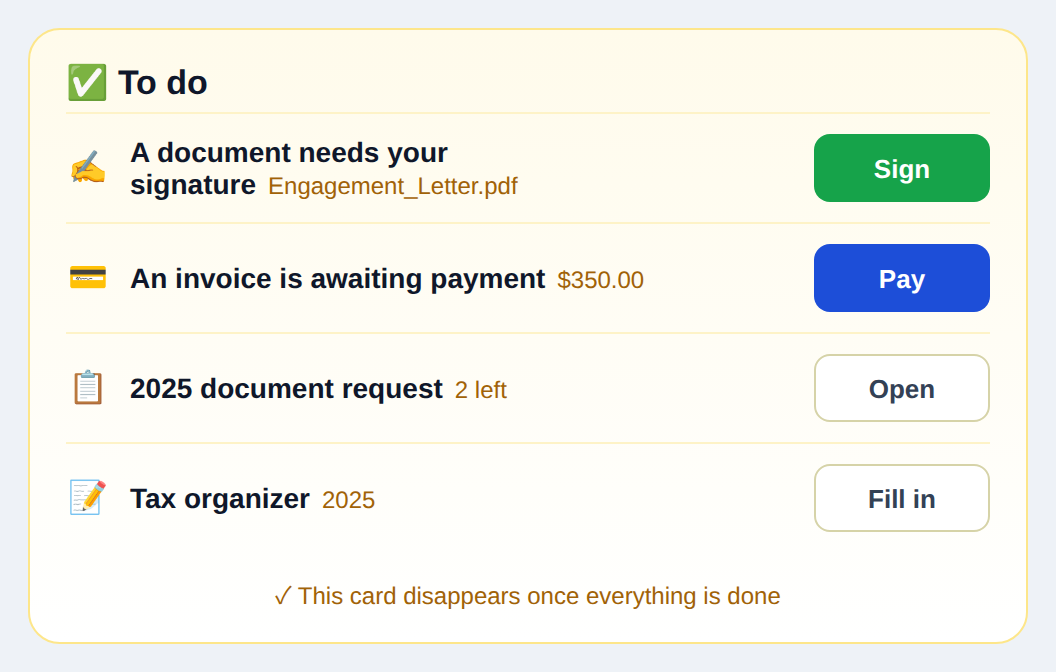
When your client logs in, everything they owe you sits in one card — which cuts the “what do I do now?” phone calls.
- ✓Signatures, payments, uploads, and organizers in one card
- ✓Each row carries its own action button — nothing to search for
- ✓Due dates appear as a countdown badge
- ✓The card disappears once everything is done, so “nothing left” is unmistakable
- ✓Shown in Korean, English, or Spanish — each client in their own language
CLIENT PROFILE
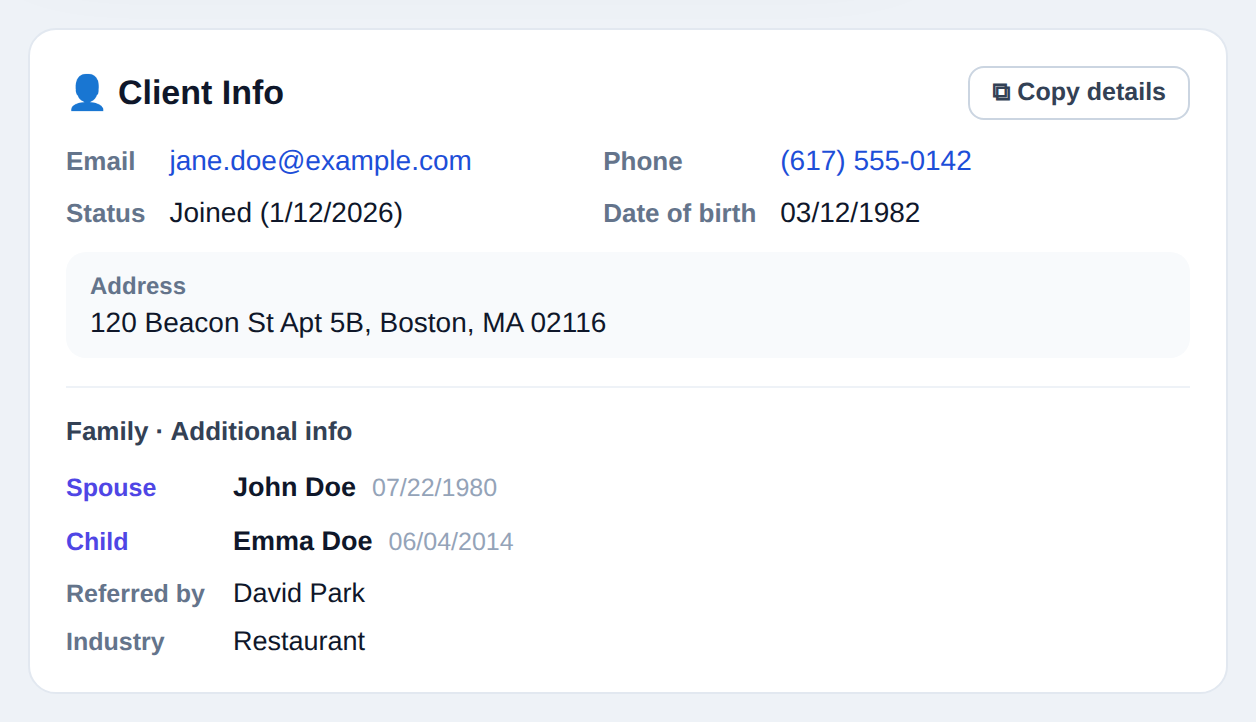
Client profile, family, custom fields
More than contact details: spouse and children, plus any field your firm actually needs.
- ✓Track spouse, children, and dependents with relationship and date of birth
- ✓Add your own fields — referral source, industry, whatever you track
- ✓Copy the whole profile in one click, ready to paste into your tax software
- ✓Designed not to hold SSNs — only what you need day to day
- ✓This information is firm-only. It never appears on the client’s screen
TAX-YEAR VIEW
Tax-Year Organization
Last year’s documents never mix with this year’s. Every file carries a tax-year tag and files itself in place.
- ✓Every document is tagged with its tax year
- ✓Filter by year, or switch to an all-years view
- ✓Year dividers keep long lists scannable
- ✓Download an entire year as a ZIP with one click
NOTIFICATIONS
Automatic Notifications
When a document lands, the right person hears about it — but a document itself never rides along in an email.
- ✓Email alerts in both directions for new documents, requests, and upload receipts
- ✓Text (SMS) alerts for clients who opt in — arrivals, requests, receipts, signature requests
- ✓One STOP reply opts a client out, and it takes effect immediately
- ✓Read status is visible to both sides
- ✓No document ever rides along in an email or text — only "check your portal"
MULTILINGUAL
Three Languages · Live Translation
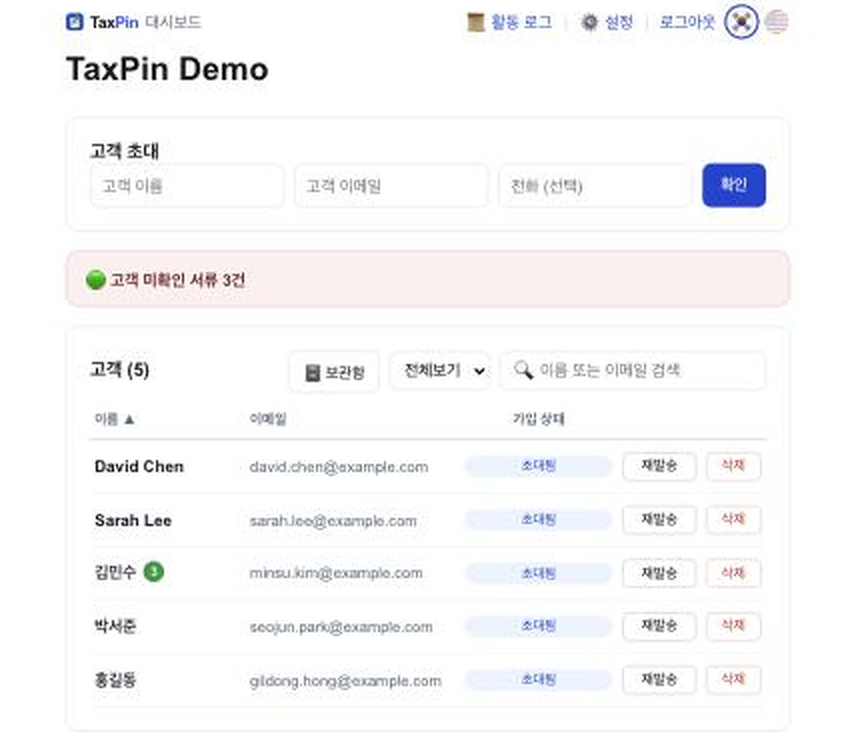
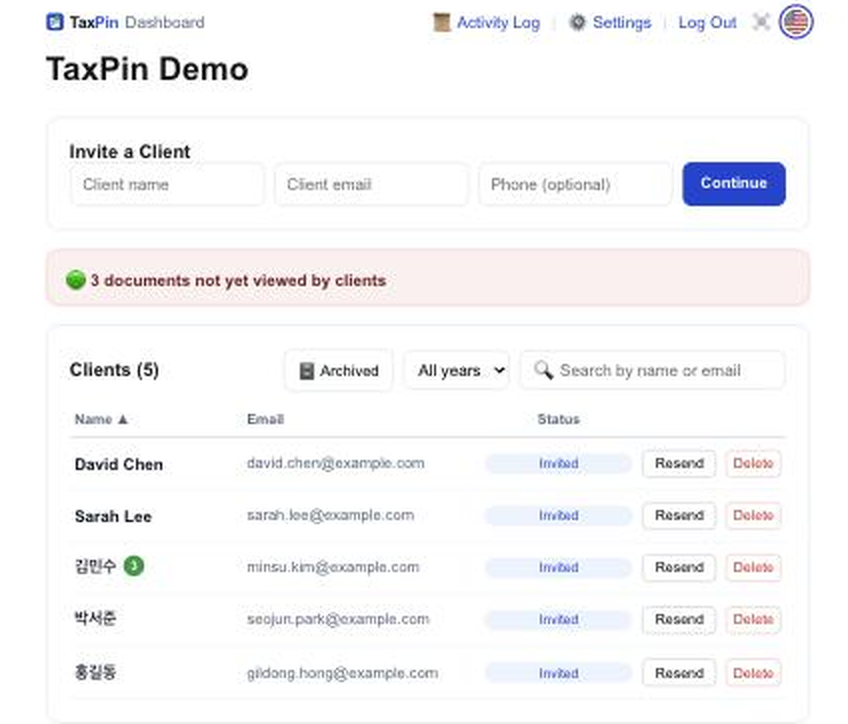
Parents in Korean, their kids in English, their neighbor in Spanish — the same portal, in whichever language each person prefers. Messages are translated as they travel.
- ✓The entire client experience is fully available in Korean, English, and Spanish
- ✓Live message translation — write in Korean, your client reads it in their own language
- ✓A "show original" link sits next to every translation
- ✓Notification emails and texts go out in the language the client chose
- ✓One toggle switches instantly, and the choice is remembered for every future visit
YOUR BRAND
Your Firm’s Own Address
To your clients, it’s your firm’s portal — not ours.
- ✓yourfirm.taxpin.app — a subdomain dedicated to your firm
- ✓Your firm’s name on invites and emails ("Your Firm (via TaxPin)")
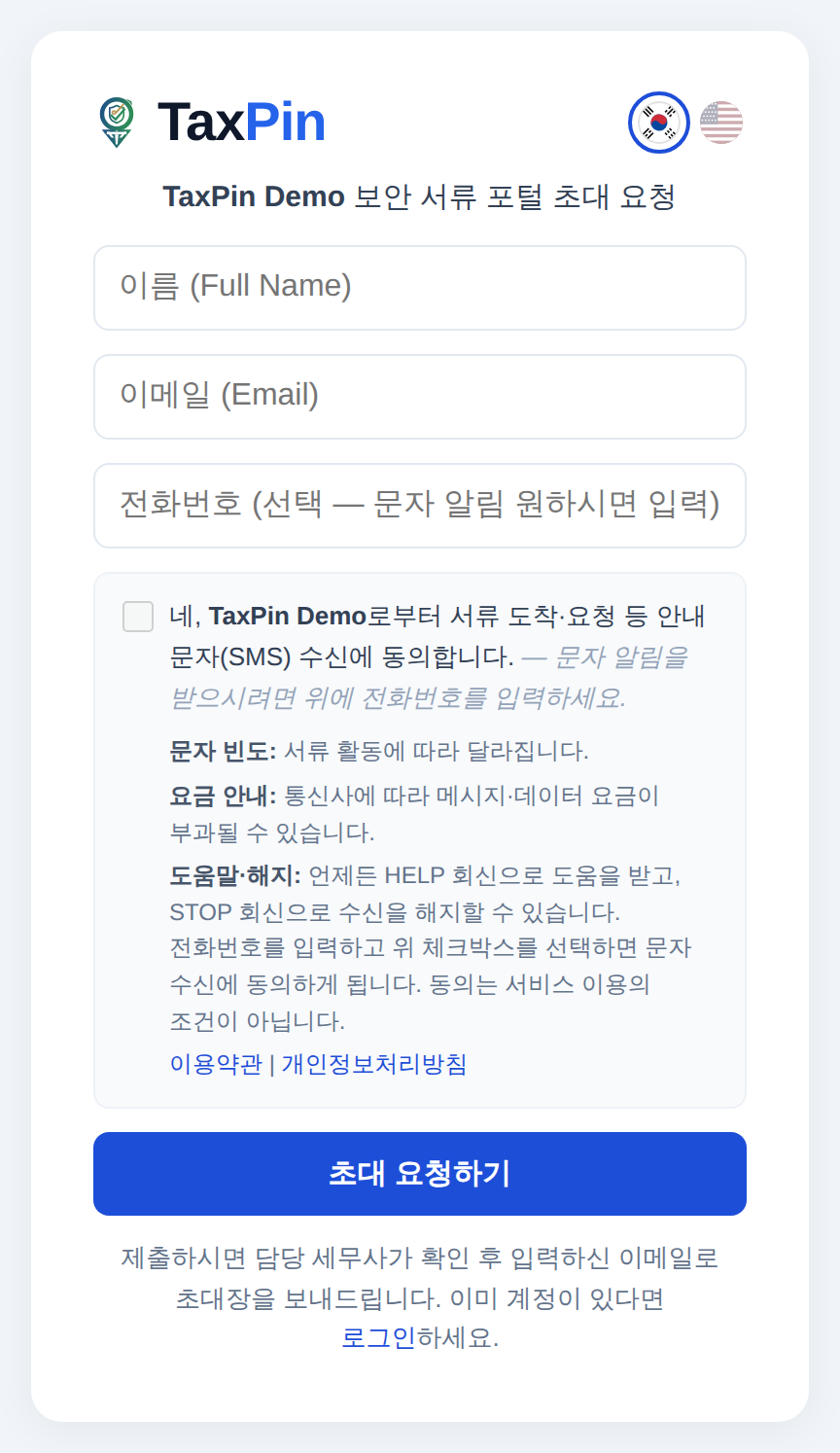
- ✓A self-serve request page where new clients can sign themselves up
🛡 Curious how the documents stay safe?
Explore the security architecture →