
STATEMENTS → TRANSACTIONS
Nobody retypes anything
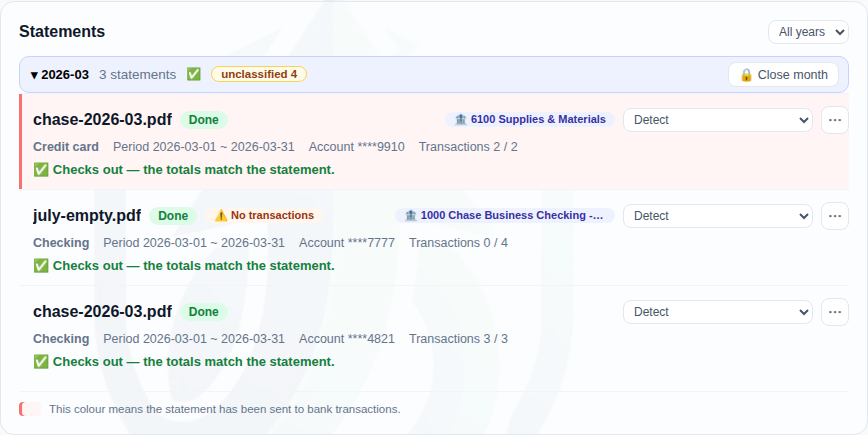
The statement your client already uploaded to the portal goes straight into the books. The download-and-retype step disappears.
- ✓Chase · BofA · Amex · Citi · Capital One · Discover · Synchrony · Citizens · Eastern · East West — 12 bank and card PDFs
- ✓When a bank’s PDF layout doesn’t fit, its OFX/QFX or CSV download does
- ✓A scanned PDF with no text layer says “we can’t read this” — it never passes as zero transactions
- ✓Re-reading the same statement doesn’t double the books — date, amount, description and occurrence identify the same line
- ✓If another statement already covers the period, the run tells you which one
- ✓Checks come in by number, and if your firm keeps the check register we bring the payee back with them
VERIFICATION
Three independent checks on what we read
A statement carries its own answers — section totals, the balance equation, the transaction count. We don’t guess whether parsing worked; we measure it against all three.
- ✓Each section’s printed total = the sum of what we read from that section
- ✓Beginning + activity = ending (for cards, previous − activity = new balance)
- ✓The transaction count the statement states = the number of transactions we created
- ✓If any of them disagree, no green light — we show which check is off and by how much
- ✓A file with nothing to check (a CSV with no balance column) is refused outright — a green light that guarantees nothing is the dangerous one
- ✓We don’t block you, though. Statements have typos too — the month simply stays red until someone looks

CATEGORIZING
A rule you set once catches next month
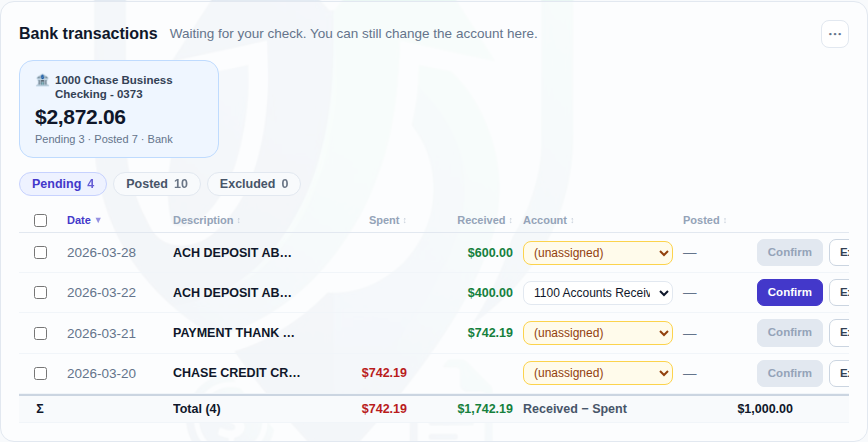
Write a rule against a vendor name and every later statement lands categorized. AI stands only where rules are proposed.
- ✓A rule is one line — pattern → account — and it stays in the list, so “why did it land there” always has an answer
- ✓AI only proposes rules; a person applies them. From then on the rules work with no AI at all
- ✓Split one transaction across accounts — the split always sums to the transaction
- ✓Bank↔card transfers are matched as a pair and counted once, not twice
- ✓An account a person chose is never overwritten by re-categorizing
- ✓Import your QuickBooks bank rules (.xls) as they are
INVOICES & BILLS
Accrual or cash — your call
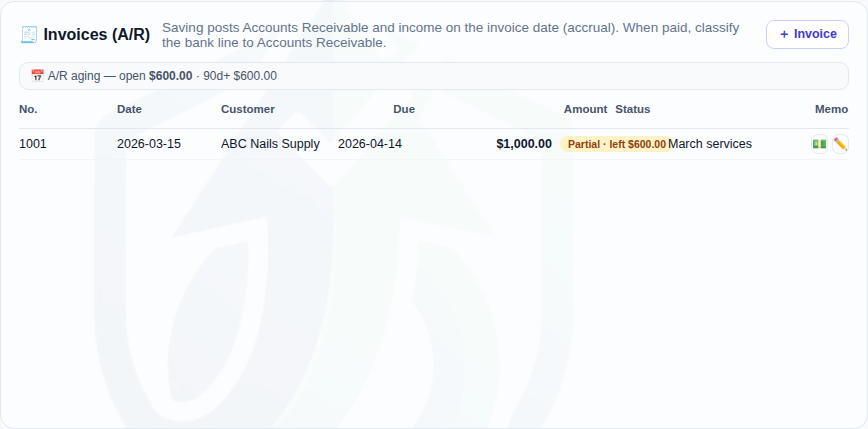
Issue invoices (A/R) and bills (A/P) here, then link the deposits and payments that settle them. The reporting basis is one click.
- ✓Lines carry item, quantity and rate — the amount is the product, and the server re-computes it to be sure
- ✓Receivable and income post on the issue date; the bank line links up when it clears
- ✓Open · partial · paid, with 30/60/90 aging by customer and vendor
- ✓Reports flip between Cash and Accrual with one click
- ✓1099-NEC candidates count money that actually left — an unpaid bill is not a payment
FINANCIAL STATEMENTS
Trial balance · P&L · balance sheet
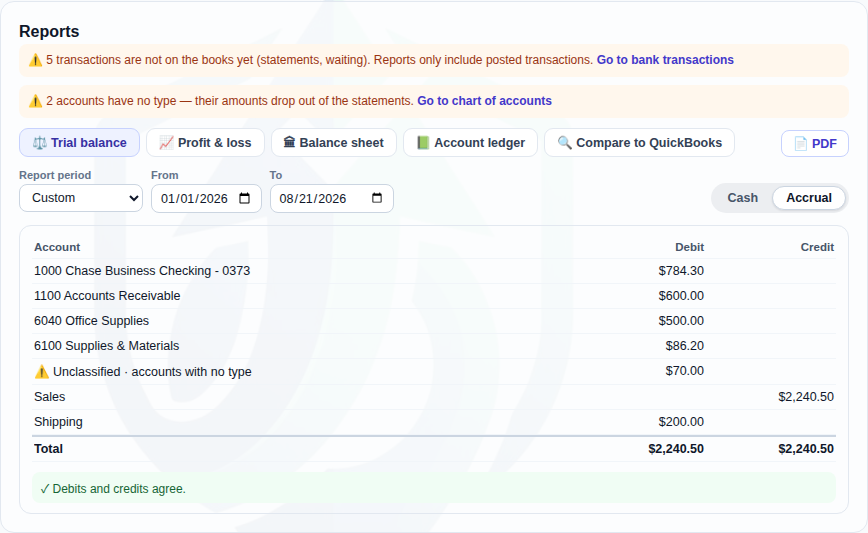
Once the categorizing is done, the statements are there. Pick a period, save to PDF, hand it to the client.
- ✓Trial balance, profit & loss, balance sheet and account ledger — for the period your firm picks
- ✓The screen tells you itself whether debits and credits agree
- ✓If anything is still uncategorized, it says so first — that much would be missing from the statements
- ✓📄 PDF is the table you’re looking at — there is no separate PDF version to drift from the screen
- ✓Your client opens the same statements in their portal — read only, and only what you posted
QUICKBOOKS · DRAKE · CLOSE
It leaves in the format you already use
Finish the books here or hand them to QuickBooks — your firm decides. TaxPin doesn’t block either road.
- ✓Import the QuickBooks Online chart of accounts and match it to ours
- ✓Send transactions to QBO, and undo only the records we created if it went wrong
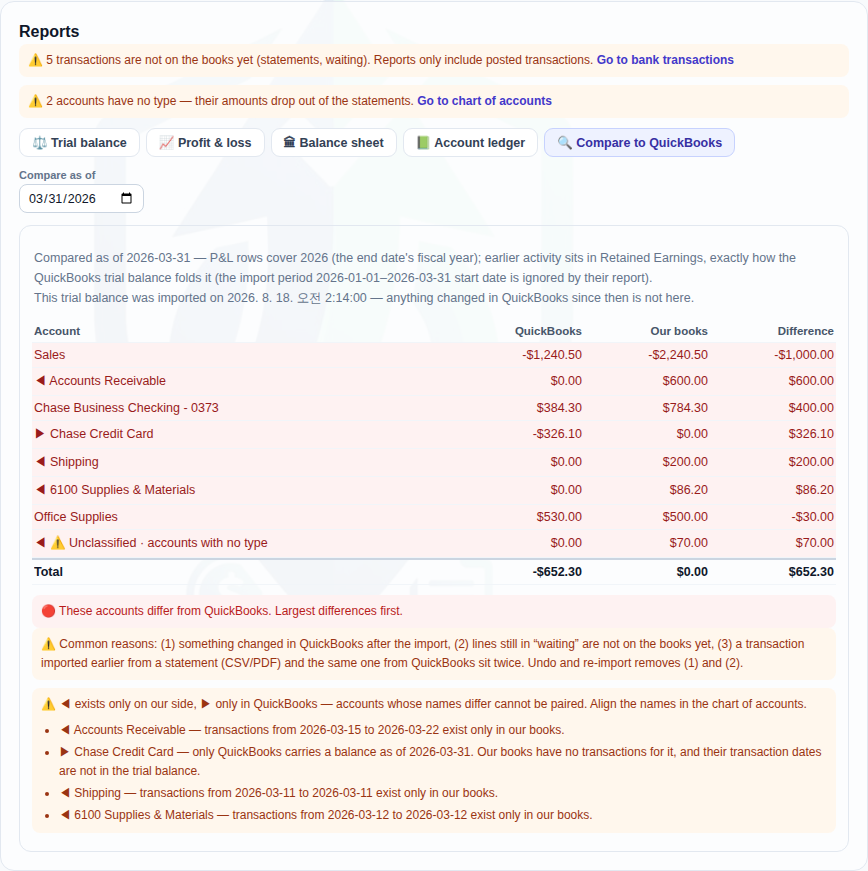
- ✓A reconcile screen puts their trial balance next to yours, account by account
- ✓Drake Accounting gets a journal-entry CSV
- ✓Close a month and no door can change it any more
- ✓Turn bookkeeping off and the data waits four years — switch it back on and it’s all there
🛡 Curious how the documents are protected?
Explore the security architecture →